By using Table Combination feature, you can flexibly transform multiple small tables (e.g., 2–4 seats) into larger units. This allows you to adapt to real-time booking demands without missing out on potential large-group reservations.
1. Enter the "Availability" page and select "Venue Setting"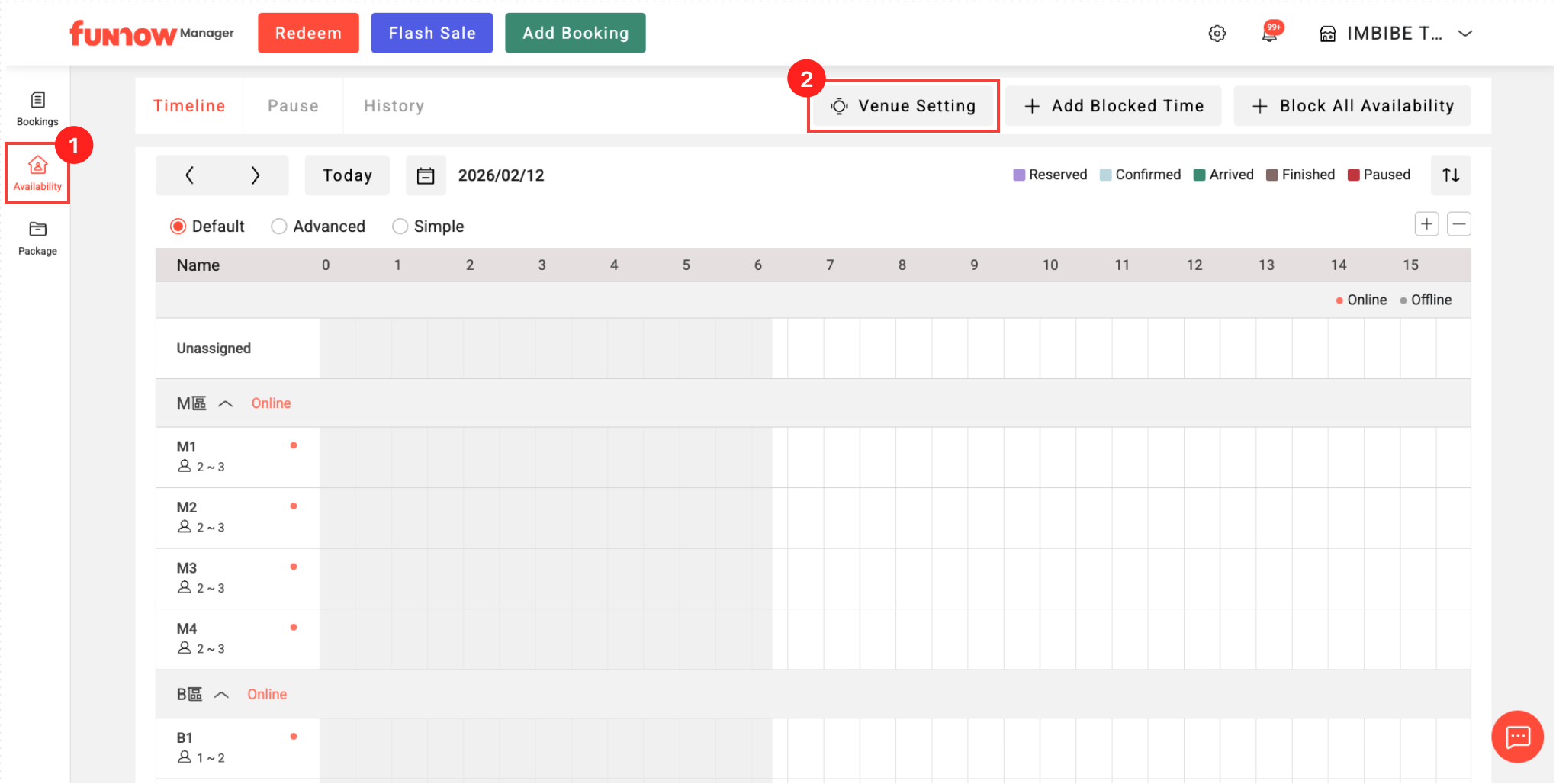
2. Click the "+" icon in the "Table Combination" section
3. Create a Combination
Enable Online Booking: Activate the combinations for online bookings.
Select Tables to Combination: (E.g., M1 + M2 + M3)
The system supports diverse table-combination settings. For example, you can create a combination for M1+M2, and another for M1+M2+M3. Even if a table is already part of another group, the system accepts any unique setting to maximize your seating options.
- New Combination:
Rename: Customize the name (e.g., M1+M2+M3 9-Person Table) for easier management.
Min/Max Pax: The system sums up the pax of the original tables by default. Additionally, there is no upper limit on the maximum pax, which provides you with total flexibility.
Turn Time: Set a specific time limit for reservations using this table combination.