If a specific package is temporarily unavailable due to special circumstances (e.g., supply shortages or staffing issues), you can use the "Timeslot Paused" feature to disable bookings for that package during a specific time range.
1. Navigate to the "Packages" page, select the package you want to block online bookings, and open the "List" view.
2. Go to the "Timeslot " section, click the "+' icon to add a new pause period.
3. Fill in the required fields and click "Save":
Name (Optional): Give this pause a title (e.g., Holiday Adjustment).
Pause Period (Start/End Pause Time): Set the duration you wish to block bookings.
For example: To pause a service for three full days, set the range from 4/1 00:00 to 4/3 23:59.
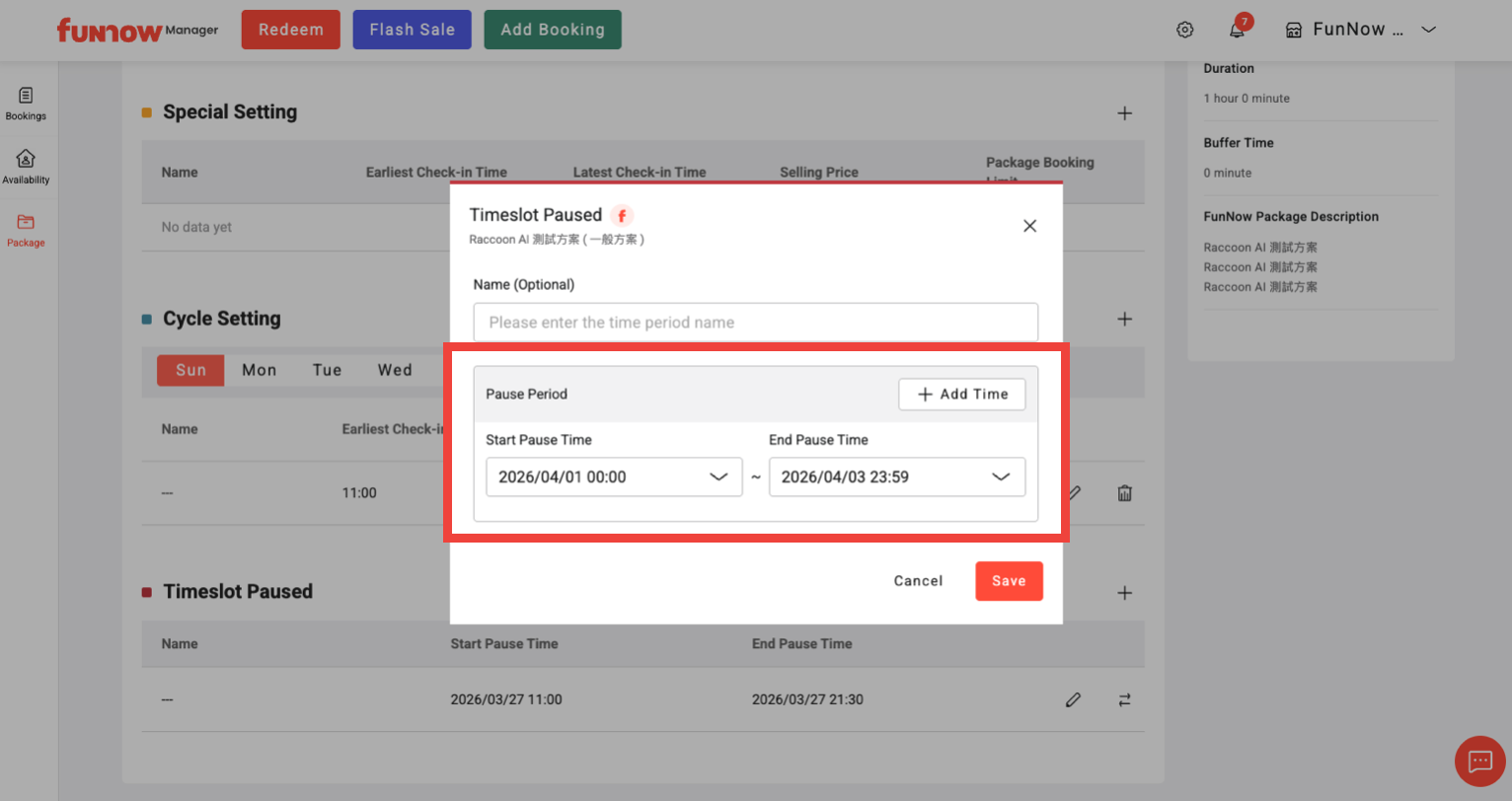
Duration Limit: Each "Pause period" entry is limited to a maximum of 7 days. For pauses exceeding one week, please click "Add Time" to create consecutive entries.
Duration Limit: Each "Pause period" entry is limited to a maximum of 7 days. For pauses exceeding one week, please click "Add Time" to create consecutive entries.
4. Once the setting is done, the paused time slot will be highlighted in red.
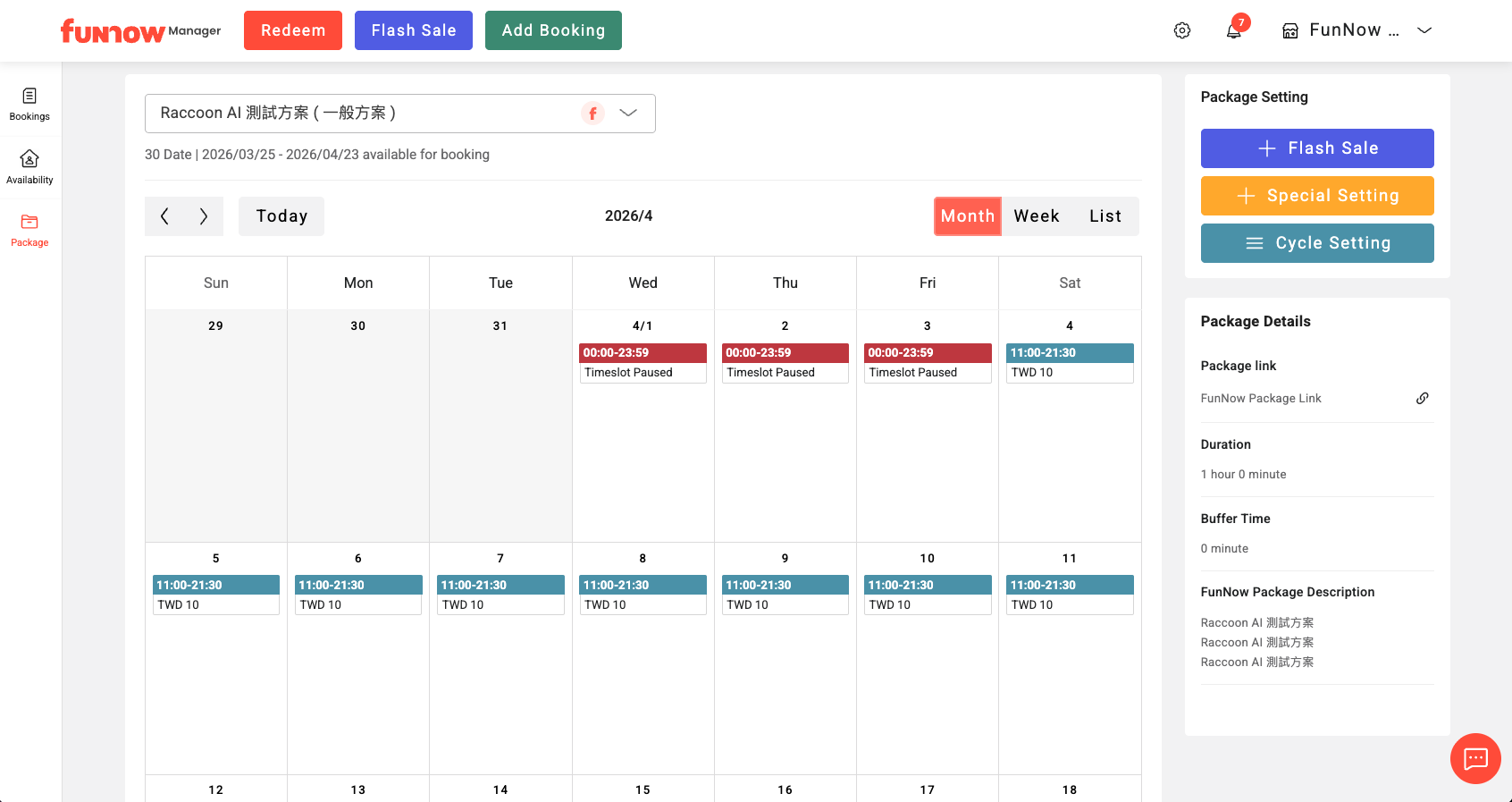
Note: Pauses are applied on a per-package basis. To pause multiple packages, please update each one individually.